All guides
Publish to Shopify and Etsy
Publishing creates the product in Printify with your garment, colors, sizes and prices, then adds it to your store as a draft with the name, description, tags, SEO text and mockups. You make it live when you're happy.
What you need
- Printify and Shopify (or Etsy) connected
- A garment chosen for every product type that's on
- Designs that are Ready and have an AI name
Step by step
Publish one design
Open a design and click Publish at the bottom of its panel. Only the colors in use are published.
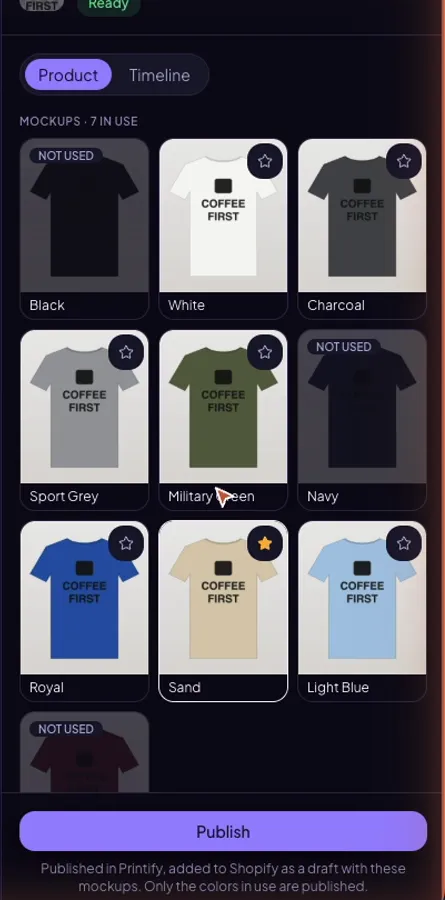
The Publish button and what it does. Or publish many
Click Publish … ready at the top of the Designs page to publish every ready design, or tick several cards and click Publish … in the toolbar.
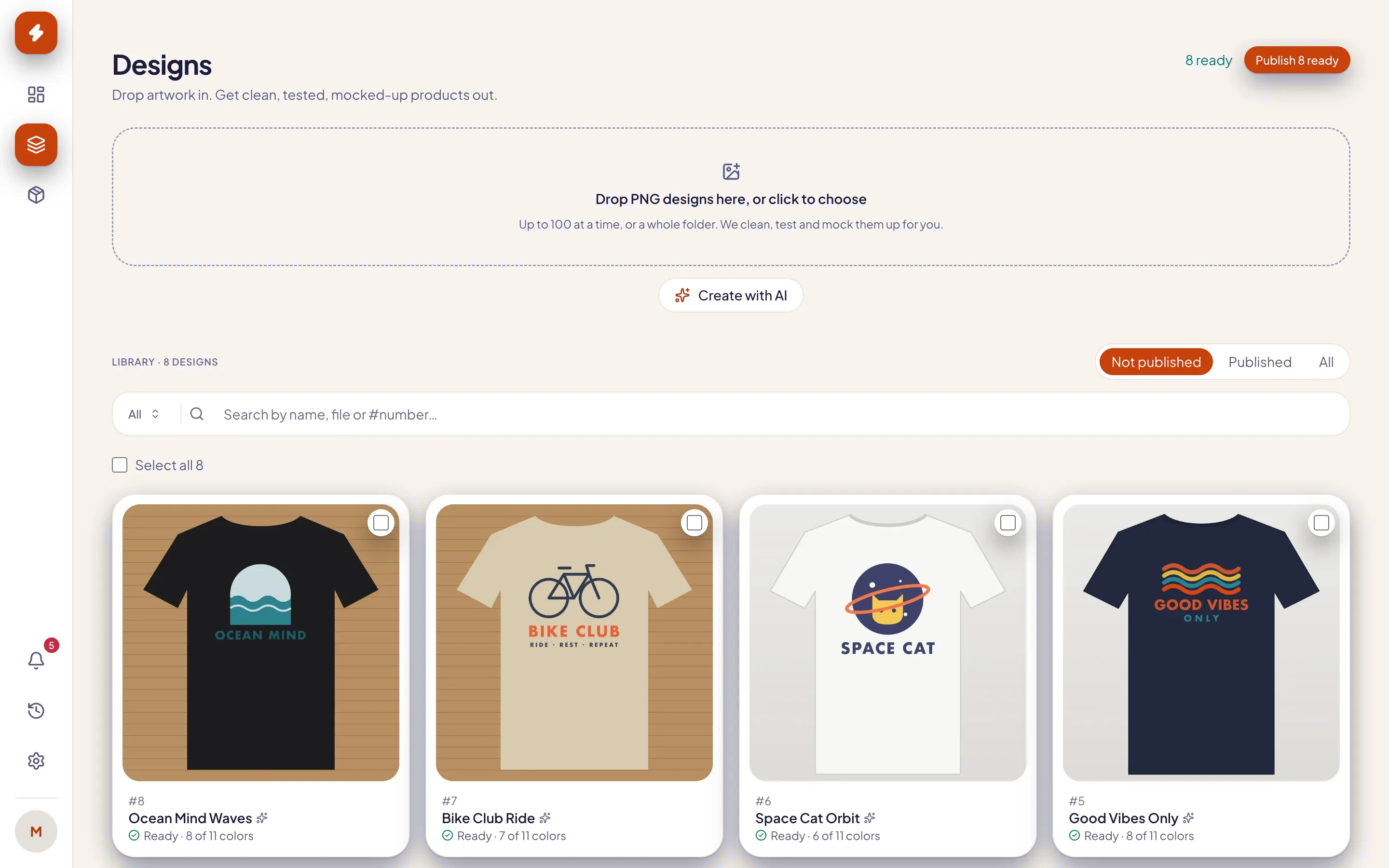
The header button publishes every ready design at once. Set a publishing pace
In Settings → Store → Publishing pace, choose how many products an hour to send (0 = all at once). Spreading a big drop over time avoids Shopify's daily limit on new variants.
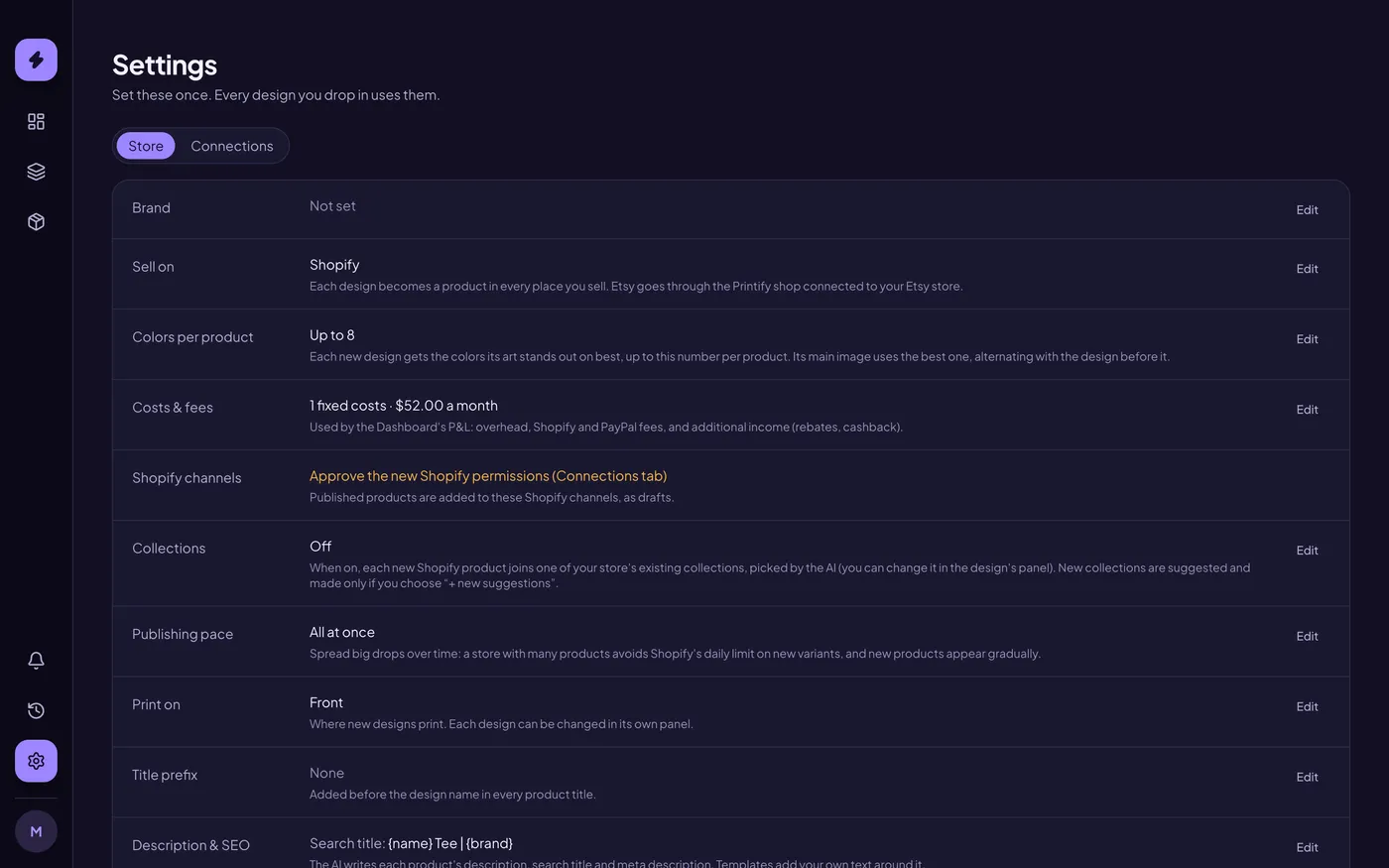
Publishing pace, in Settings → Store. Check and make it live
Your products appear on the Products page as Publishing, then Draft. Open one and use ⋯ → Make live in store, or select several and click Make live. Open in Shopify admin takes you to the product in Shopify.
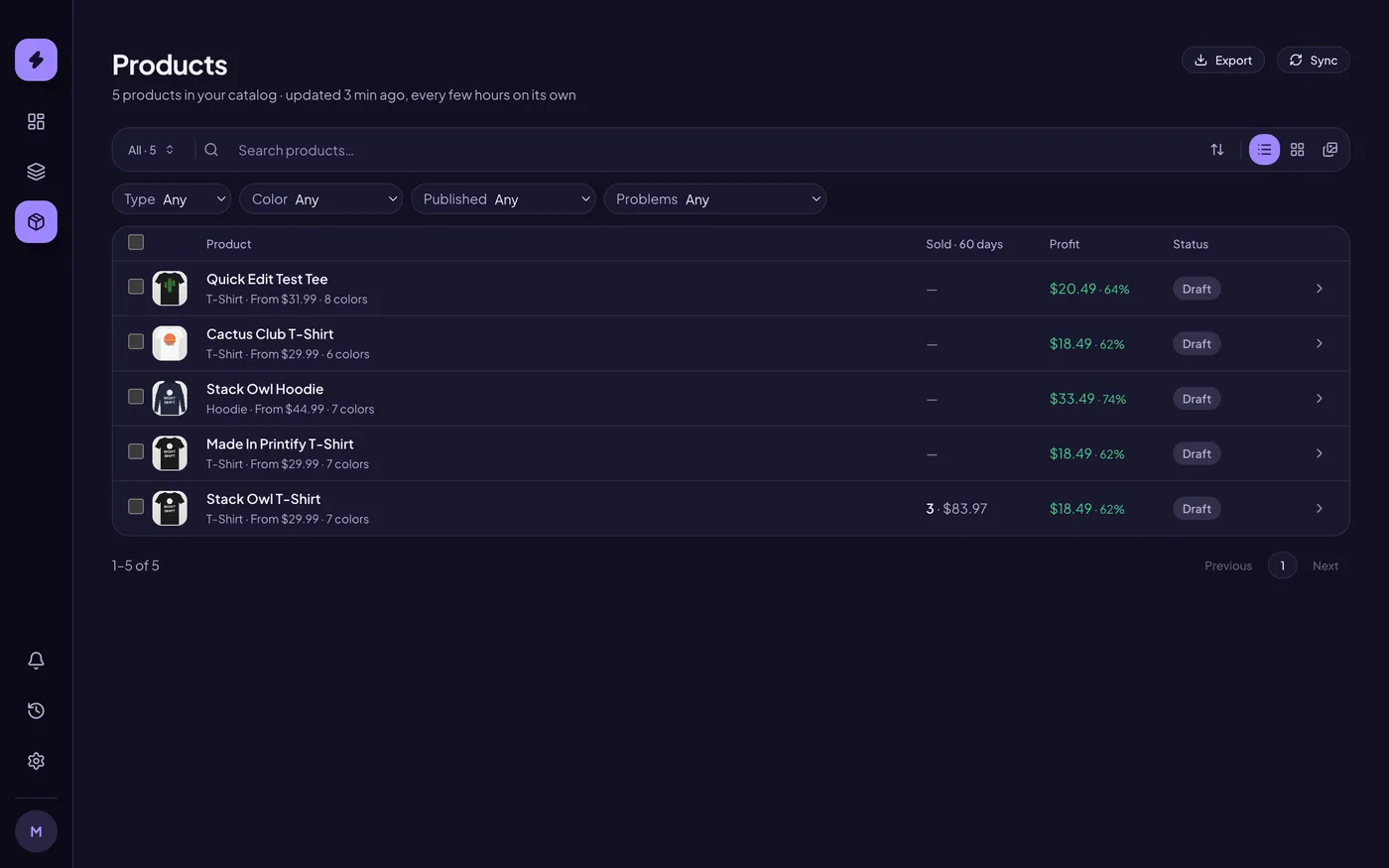
The Products page with sales, profit and status.
Good to know
Good to knowEtsy listings arrive as drafts too: make them live in Etsy. TikTok Shop, eBay, Amazon and the other stores you link in Printify get a listing instead: see Sell on TikTok Shop, eBay, Amazon and more.
TipSelling several product types? After publishing, the design panel offers Publish as … too for types not made yet.
TipTo take a product down, use Set as draft. Delete product waits 30 seconds before removing it from Printify and Shopify, so you can undo it.
Next
- Sell on TikTok Shop, eBay, Amazon and more Every store linked in your Printify account can get your designs too.
- Collections Let the AI put each new product into the right Shopify collection.
- Sales and profit dashboard Sales, ad spend, email revenue and real profit in one place.
- Undo and History Every change you make can be undone, any time.
Ready to try it?
Free for up to 20 new products a month. No card needed.